Category: Web Development

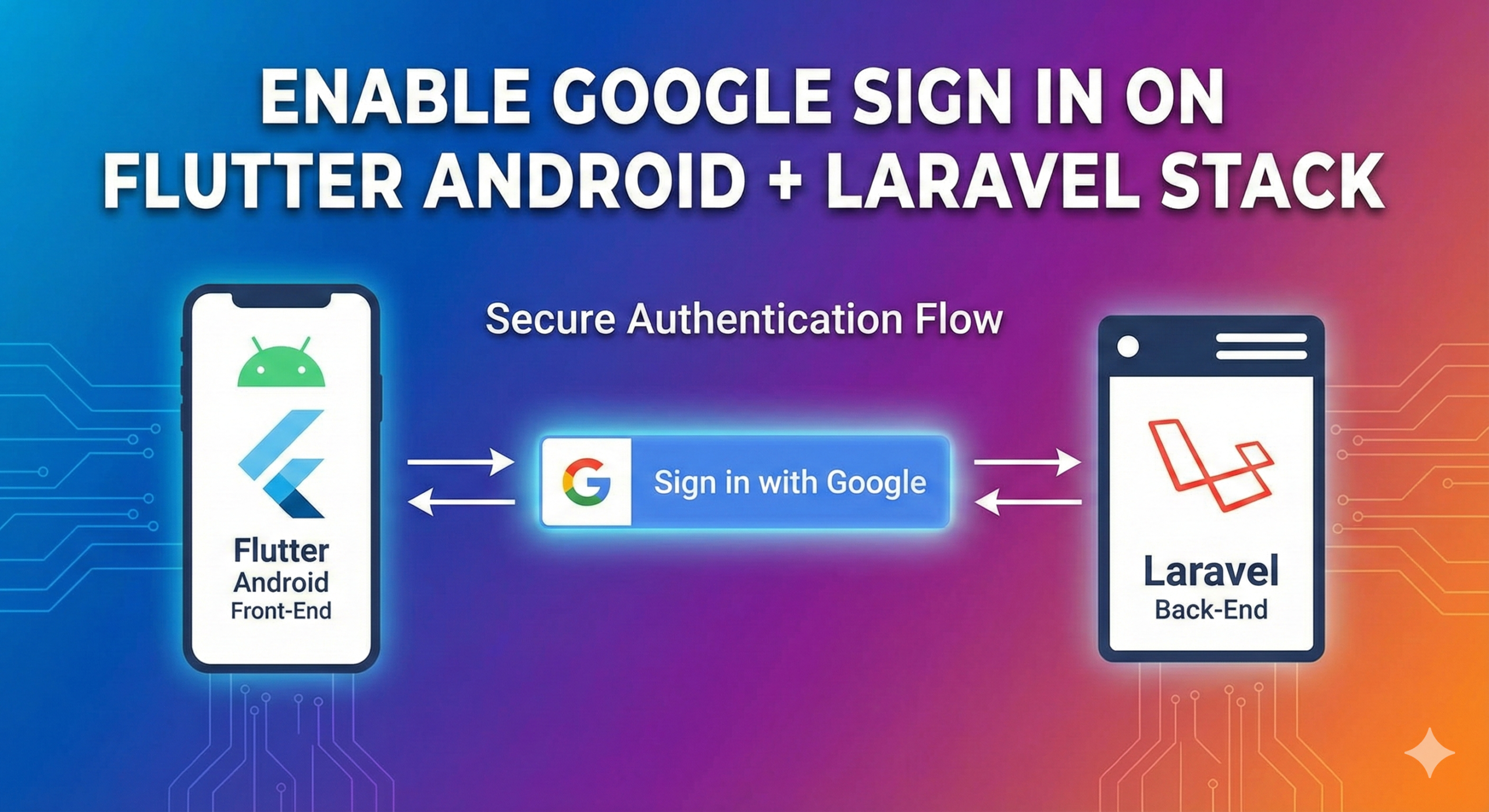
  • Enable Google Sign In on Flutter Android + Laravel Stack

    Enable Google Sign In on Flutter Android + Laravel Stack

    Current Stack

    • Flutter for Android
      • google_sign_in plugin for social network integration
    • Laravel 12 for backend
      • Socialite for Social Network integration

    We want to enable users to sign up/in on our Android application using their Google account with the current setup that we have.

    The plan is to have the Flutter app allow the user to sign up/in to our platform using their Google account. Then pass a reference to this user to our backend, have the backend re validate the user for security purpose and create/update a user in our database so that we’ll be able to recognized them later on even if they switched devices. Later on we would also want to enable other services for users to use to log in like Facebook.

    To get this to work here’s what we did :

    Flutter (frontend)

    1. Install google_sign_in plugin.
    2. Follow the their instruction to enable google sign in. This includes creating OAuth2 credentials. In our case we had to create 2 OAuth2 Clients: a web application and an android application, setting the hash for the android application amother other things.
    3. Once that is set up, you move to calling GoogleSignIn.instance.authenticate() in your application to start the authentication process. (you’ll need to initialize the plugin first, just follow their instructions)
    4. After authentication you will get a GoogleSignInAccount object from the GoogleSignInAuthenticationEvent event object. This should contain an authentication.idToken property. So if you’ve assigned the GoogleSignInAccont to a “user” variable, you can access this through user.authentication.idToken. Pass this idToken to laravel for further authentication and user details fetching from the server.
    5. For Laravel we’re using Socialite to make communication with third party sign in providers easy. In Google’s case we would use the idToken provided to fetch the user’s information via Laravel and at the same time verify the authentication before creating or logging in the user.
    6. From there we would just create a new user token for the user to persist their session from the flutter app.

    Logging the user this way helps us maintain the user’s information even if they switch device.

    There’s probably a better/cleaner solution but for us this works pretty well. We will be applying the same process for Facebook log in and see how it goes.

    I hope this provide some insight on how we can implement Google sign in via Flutter and Laravel stack.

    Cheers!

  • Add Laravel coverage result to your gitlab tests

    Add Laravel coverage result to your gitlab tests

    For this project I was using Laravel 12 and PhpUnit 11 with PCOV for coverage. What I wanted to do was to have the test result’s coverage percentage to show up in gitlab but it’s not showing up. My gitlab-ci.yaml file correctly uploads the artifacts for the generated cobertura formatted xml file and the “coverage” line with the regex for parsing the coverage percent value.

    I later realized that the “coverage” keyword in gitlab-ci was for parsing what’s being printed out in the terminal (as you would see in the pipeline job’s log). Unfortunately I’m not seeing my test coverage results in the log.

    Coverage result was being generated into a file but for some reason running tests with parametter –coverage-text or –coverage doesn’t print the coverage results in the terminal. I also tested these different parameters/commands locally and I was not able to print the results to my terminal.

    As a last resort here’s what I did:

    • use –coverage-text=my_coverage.txt -> to print the results to a file instead since that’s working
    • print out the file’s contents to the terminal e.g. cat my_coverage.txt
    • let gitlab perform the parse

    After these updates test coverage result now shows up and being picked up by gitlab.

    Cheers!

  • Laravel queue keeps using old code?

    Laravel queue keeps using old code?

    We’ve been having an issue in our Laravel instance where in our previous code were still being executed even though it doesn’t exist anymore anywhere in the source code.

    For our deployment we would restart horizon via supervisor and clear cache/compiled codes for both composer and laravel. This only happens to a specific class though which doesn’t do anything special just sends an email.

    Last resort we did which seems to work is included a restart of the actual queue via “artisan queue:restart” which I expect to already being run when horizon restarts.

    It’s been weeks now and we’re still observing if it still occurs, so far so good.

    So if you’re having the same issue with laravel horizon or your queue try this out and I hope that this helps.

  • Display git branch on your cli prompt

    Display git branch on your cli prompt

    Want to display the current git branch on your cli prompt and go from ~/mywork$ to something like this ~/mywork [main]$ ?

    Useful when working with multiple branches or projects. It makes it less confusing when switching between environments/tabs.

    This is for bash and I haven’t tried on other cli. To include the current branch your in to your prompt :

    Edit your .bashrc file (or equivalent config file for your cli). nano ~/.bashrc

    Then add this at the end of your file

    parse_git_branch() {
       git branch 2>/dev/null | grep '^*' | colrm 1 2
    }
    export PS1="\[\e[32m\]\w\[\e[91m\] [\$(parse_git_branch)]\[\e[00m\]\$ "

    This includes color and formatting for the prompt and then resets the text color to the default.

    Restart your terminal program or do a source ~/.bashrc to see the changes.

    Enjoy!

  • Installing Docker in Ubuntu

    Installing Docker in Ubuntu

    Just sharing my experience while re installing docker to a new ubuntu installation for future reference for myself. Well hopefully it can help some devs as well, might help wasting a few hours of reading or testing.

    I am using Ubuntu 24.04.1 at the moment but this might be applicable to future versions too. I installed a package and it seemed to cause ubuntu to perform a system check but it stops in fsck check. After doing an fsck check via bootable usb drive it still gave me the same error so I decided to re install Ubuntu, which brings me to re installing all the programs I’m using for dev. One of which is docker.

    Since it’s been some time since I last installed docker, I went to https://docs.docker.com/engine/install/ubuntu/ and decided to follow one of the instructions. I can’t remember which method I used though, but it installed docker with rootless access and without any error. Then I tried running my dev containers and they were running fine except for some of the codes are failing due to permission issues.

    After a few hours of reading I just found out docker is being run as root from the host machine if it’s being run in rootless mode and therefore everything created at the moment of running the container would be owned by that user, including volumes I’m automatically mounting via docker-compose, which includes the source code for my project. I didn’t know this before. The way I understood it is that since the container is being run without root access (from host) the container will be using a default user which is user with ID=0 which is the root (of the container’s system, not root of the host/my machine). Basically the user in the container doesn’t match the user in my machine (host machine).

    I tried a couple of solutions I found online and since I am lazy and didn’t want to spend too much time bringing back my previously working setup I decided to just remove docker (https://docs.docker.com/engine/install/ubuntu/#uninstall-docker-engine) and re install it with root access (which is by default if you follow the other installation method). This time i chose Install by package : https://docs.docker.com/engine/install/ubuntu/#install-from-a-package. Package url is here : https://docs.docker.com/engine/install/ubuntu/#install-from-a-package

    After a succcesful installation I won’t be able to use docker without root access (via sudo) so their instruction is to add my user to a docker group (you should create one if none exist yet). And probably restart (for assurance) afterwards. You can copy this command to add your user to the docker group

    sudo usermod -aG docker your-user-name

    I also had an issue with docker daemon not running turns out /etc/docker/daemon.json was misconfigured from my previous installation. I just removed everything from the file and it ran properly.

    So that’s it! In summary, next time I have to reinstall docker follow these steps :

    1. Install docker via packages method
    2. add docker group
    3. add my user to docker group
    4. restart computer
    5. check docker’s log if it keeps failing to launch

  • All barangays in Palawan (PHP Array)

    All barangays in Palawan (PHP Array)

    $municipality = [
                'Aborlan' => [
                    'Apo-Aporawan',
                    'Apoc-apoc',
                    'Aporawan',
                    'Barake',
                    'Cabigaan',
                    'Culandanum',
                    'Gogognan',
                    'Iraan',
                    'Isaub',
                    'Jose Rizal',
                    'Mabini',
                    'Magbabadil',
                    'Plaridel',
                    'Poblacion',
                    'Ramon Magsaysay',
                    'Sagpangan',
                    'San Juan',
                    'Tagpait',
                    'Tigman',
                ],
    
                'Agutaya' => [
                    'Abagat',
                    'Algeciras',
                    'Bangcal',
                    'Cambian',
                    'Concepcion',
                    'Diit',
                    'Maracanao',
                    'Matarawis',
                    'Villafria',
                    'Villasol',
                ],
                'Araceli' => [
                    'Balogo',
                    'Dagman',
                    'Dalayawon',
                    'Lumacad',
                    'Madoldolon',
                    'Mauringuen',
                    'Osmeña',
                    'Poblacion',
                    'San Jose de Oro',
                    'Santo Niño',
                    'Taloto',
                    'Tinintinan',
                    'Tudela',
                ],
    
                'Balabac' => [
                    'Agutayan',
                    'Bancalaan',
                    'Bugsuk',
                    'Catagupan',
                    'Indalawan',
                    'Malaking Ilog',
                    'Mangsee',
                    'Melville',
                    'Pandanan',
                    'Pasig',
                    'Poblacion I',
                    'Poblacion II',
                    'Poblacion III',
                    'Poblacion IV',
                    'Poblacion V',
                    'Poblacion VI',
                    'Rabor',
                    'Ramos',
                    'Salang',
                    'Sebaring',
                ],
                'Bataraza' => [
                    'Bono - bono',
                    'Bulalacao',
                    'Buliluyan',
                    'Culandanum',
                    'Igang - igang',
                    'Inogbong',
                    'Iwahig',
                    'Malihud',
                    'Malitub',
                    'Marangas',
                    'Ocayan',
                    'Puring',
                    'Rio Tuba',
                    'Sandoval',
                    'Sapa',
                    'Sarong',
                    'Sumbiling',
                    'Tabud',
                    'Tagnato',
                    'Tagolango',
                    'Taratak',
                    'Tarusan',
                ],
                "Brooke's Point" => [
                    'Amas',
                    'Aribungos',
                    'Barong - barong',
                    'Calasaguen',
                    'Imulnod',
                    'Ipilan',
                    'Maasin',
                    'Mainit',
                    'Malis',
                    'Mambalot',
                    'Oring - oring',
                    'Pangobilian',
                    'Poblacion I',
                    'Poblacion II',
                    'Salogon',
                    'Samareñana',
                    'Saraza',
                    'Tubtub',
                ],
                'Busuanga' => [
                    'Bogtong',
                    'Buluang',
                    'Cheey',
                    'Concepcion',
                    'Maglalambay',
                    'New Busuanga',
                    'Old Busuanga',
                    'Panlaitan',
                    'Quezon',
                    'Sagrada',
                    'Salvacion',
                    'San Isidro',
                    'San Rafael',
                    'Santo Niño',
                ],
                'Cagayancillo' => [
                    'Bantayan',
                    'Calsada',
                    'Convento',
                    'Lipot North',
                    'Lipot South',
                    'Magsaysay',
                    'Mampio',
                    'Nusa',
                    'Santa Cruz',
                    'Tacas',
                    'Talaga',
                    'Wahig',
                ],
                'Coron' => [
                    'Banuang Daan',
                    'Barangay I',
                    'Barangay II',
                    'Barangay III',
                    'Barangay IV',
                    'Barangay V',
                    'Barangay VI',
                    'Bintuan',
                    'Borac',
                    'Buenavista',
                    'Bulalacao',
                    'Cabugao',
                    'Decabobo',
                    'Decalachao',
                    'Guadalupe',
                    'Lajala',
                    'Malawig',
                    'Marcilla',
                    'San Jose',
                    'San Nicolas',
                    'Tagumpay',
                    'Tara',
                    'Turda',
                ],
                'Culion' => [
                    'Balala',
                    'Baldat',
                    'Binudac',
                    'Burabod',
                    'Culango',
                    'De Carabao',
                    'Galoc',
                    'Halsey',
                    'Jardin',
                    'Libis',
                    'Luac',
                    'Malaking Patag',
                    'Osmeña',
                    'Tiza',
                ],
                'Cuyo' => [
                    'Balading',
                    'Bangcal',
                    'Cabigsing',
                    'Caburian',
                    'Caponayan',
                    'Catadman',
                    'Funda',
                    'Lagaoriao',
                    'Lubid',
                    'Lungsod',
                    'Manamoc',
                    'Maringian',
                    'Pawa',
                    'San Carlos',
                    'Suba',
                    'Tenga - tenga',
                    'Tocadan',
                ],
                'Dumaran' => [
                    'Bacao',
                    'Bohol',
                    'Calasag',
                    'Capayas',
                    'Catep',
                    'Culasian',
                    'Danleg',
                    'Dumaran',
                    'Ilian',
                    'Itangil',
                    'Magsaysay',
                    'San Juan',
                    'Santa Maria',
                    'Santa Teresita',
                    'Santo Tomas',
                    'Tanatanaon',
                ],
                'El Nido' => [
                    'Aberawan',
                    'Bagong Bayan',
                    'Barotuan',
                    'Bebeladan',
                    'Bucana',
                    'Buena Suerte Poblacion',
                    'Corong - corong Poblacion',
                    'Mabini',
                    'Maligaya Poblacion',
                    'Manlag',
                    'Masagana Poblacion',
                    'New Ibajay',
                    'Pasadeña',
                    'San Fernando',
                    'Sibaltan',
                    'Teneguiban',
                    'Villa Libertad',
                    'Villa Paz',
                ],
                'Linapacan' => [
                    'Barangonan',
                    'Cabunlawan',
                    'Calibangbangan',
                    'Decabaitot',
                    'Maroyogroyog',
                    'Nangalao',
                    'New Culaylayan',
                    'Pical',
                    'San Miguel',
                    'San Nicolas',
                ],
                'Magsaysay' => [
                    'Alcoba',
                    'Balaguen',
                    'Canipo',
                    'Cocoro',
                    'Danawan',
                    'Emilod',
                    'Igabas',
                    'Lacaren',
                    'Los Angeles',
                    'Lucbuan',
                    'Rizal',
                ],
                'Narra' => [
                    'Antipuluan',
                    'Aramaywan',
                    'Bagong Sikat',
                    'Batang - batang',
                    'Bato - bato',
                    'Burirao',
                    'Caguisan',
                    'Calategas',
                    'Dumagueña',
                    'Elvita',
                    'Estrella Village',
                    'Ipilan',
                    'Malatgao',
                    'Malinao',
                    'Narra',
                    'Panacan',
                    'Panacan 2',
                    'Princess Urduja',
                    'Sandoval',
                    'Tacras',
                    'Taritien',
                    'Teresa',
                    'Tinagong Dagat',
                ],
                'Quezon' => [
                    'Alfonso XIII',
                    'Aramaywan',
                    'Berong',
                    'Calatagbak',
                    'Calumpang',
                    'Isugod',
                    'Maasin',
                    'Malatgao',
                    'Panitian',
                    'Pinaglabanan',
                    'Quinlogan',
                    'Sowangan',
                    'Tabon',
                    'Tagusao',
                ],
                'Rizal' => [
                    'Bunog',
                    'Campong Ulay',
                    'Candawaga',
                    'Canipaan',
                    'Culasian',
                    'Iraan',
                    'Latud',
                    'Panalingaan',
                    'Punta Baja',
                    'Ransang',
                    'Taburi',
                ],
                'Roxas' => [
                    'Abaroan',
                    'Antonino',
                    'Bagong Bayan',
                    'Barangay 1',
                    'Barangay II',
                    'Barangay III',
                    'Barangay IV',
                    'Barangay V Poblacion',
                    'Barangay VI Poblacion',
                    'Caramay',
                    'Dumarao',
                    'Iraan',
                    'Jolo',
                    'Magara',
                    'Malcampo',
                    'Mendoza',
                    'Narra',
                    'New Barbacan',
                    'New Cuyo',
                    'Nicanor Zabala',
                    'Rizal',
                    'Salvacion',
                    'San Isidro',
                    'San Jose',
                    'San Miguel',
                    'San Nicolas',
                    'Sandoval',
                    'Tagumpay',
                    'Taradungan',
                    'Tinitian',
                    'Tumarbong',
                ],
                'San Vicente' => [
                    'Alimanguan',
                    'Binga',
                    'Caruray',
                    'Kemdeng',
                    'New Agutaya',
                    'New Canipo',
                    'Poblacion',
                    'Port Barton',
                    'San Isidro',
                    'Santo Niño',
                ],
                'Sofronio Española' => [
                    'Abo - abo',
                    'Iraray',
                    'Isumbo',
                    'Labog',
                    'Panitian',
                    'Pulot Center',
                    'Pulot Interior',
                    'Pulot Shore',
                    'Punang',
                ],
                'Taytay' => [
                    'Abongan',
                    'Alacalian',
                    'Banbanan',
                    'Bantulan',
                    'Baras',
                    'Batas',
                    'Bato',
                    'Beton',
                    'Busy Bees',
                    'Calawag',
                    'Casian',
                    'Cataban',
                    'Debangan',
                    'Depla',
                    'Libertad',
                    'Liminangcong',
                    'Meytegued',
                    'Minapla',
                    'New Guinlo',
                    'Old Guinlo',
                    'Paglaum',
                    'Paly',
                    'Pamantolon',
                    'Pancol',
                    'Poblacion',
                    'Pularaquen',
                    'San Jose',
                    'Sandoval',
                    'Silanga',
                    'Talog',
                    'Tumbod',
                ]
            ];
  • Unit testing functional component functions in React

    Unit testing functional component functions in React

    Say you have a functional component like this :

    const myComponent = () => { 
     const myFunction = () => {
      // Do some stuff
     }
    }
    

    and you want to unit test the function myFunction. Since under functional components we can’t access functions within it directly and run it to perform tests, we end up depending on results of effects of the function to the whole component instead.

    In cases where we want to run unit test for a specific function within a functional component what we can do is move our function outside of the component and export it. Like the following

    export const myFunction => {
     // Do stuff ... 
    }
    
    const myComponent = () => {
     return .... 
    }

    this way we can still can myFunction inside the component while being able to run it on its own for testing.

    You can also move it in a separate file to fit your organizational structure.

    Then to unit test you can write something like this:

    import {myFunction} from './mycomponent'
    
    test('function works', () => {
     const result = myFunction()
     expect(result).toBe(true)
    })

    Unit testing functions separately helps minimize errors in the long run. You can also assure that correct output is returned based on various inputs.

  • Validating webhook request from Fireblocks

    For those using Fireblocks and are currently working on validating the webhook request I hope you’ll find this useful

    The webhook includes a signature fireblocks-signature that’s used for validating the request came from Fireblocks

    In their documentation they offer code sample using javascript and python, if you’re using PHP you can do the following:

    $verified = openssl_verify($body, $signature, $publicKey, OPENSSL_ALGO_SHA512);

    in the code above the parameters are the following :
    – $body – the raw body of the request (stringified json)
    – $signature – base64_decoded signature string we got from header (fireblocks-signature)
    – $publicKey – public key provided by Fireblocks if your testing in (sandbox environment)

    $verified – will be set to 1 if it passes and 0 if not

    In my experience my verification keep failing because I was calling json_encode() to the $body, which is an array initially, and this alters the json data when it contains large float values. And this will automatically mismatch the original body you receive in the request. My take on this is check the incomming request body first, most likely it’ll be in raw json string format already and you might not need to do a json_encode(), and just use it in your verification.

    There were a couple of explanations I found online on this like this one : https://stackoverflow.com/questions/41824959/json-encode-adding-lots-of-decimal-digits

    More information can found in Fireblock’s webhook documentation : https://developers.fireblocks.com/docs/webhooks-notifications

  • Array of Municipalities of Palawan

    Php Array

    $list = [
    	'Aborlan',
    	'Agutaya',
    	'Araceli',
    	'Balabac',
    	'Bataraza',
    	"Brooke's Point",
    	'Busuanga',
    	'Cagayancillo',
    	'Coron',
    	'Culion',
    	'Cuyo',
    	'Dumaran',
    	'El Nido',
    	'Kalayaan',
    	'Linapacan',
    	'Magsaysay',
    	'Narra',
    	'Puerto Princesa',
    	'Quezon',
    	'Rizal',
    	'Roxas',
    	'San Vicente',
    	'Sofronio Española',
    	'Taytay',
    ]
    If you need it for JS just copy the array and replace the variable name :)
  • How to use different return values for mocked modules in Jest

    While unit testing in ReactJS, I came accross an instance where I wanted to return different values from my api call for some of the tests for the same function.

    Initially I would go with something like :

    jest.mock('./foor/bar', ({
    fetchData : jest.fn()
      .mockResolvedValueOnce({ ... my response for the first test })
      .mockResolvedValue({ ... response for the rest })
    }))

    This works fine but is dependent on the order of my test, so in case where your working with a group and your test could be updated later on by you or someone else, it’s possible to miss this test and could end up taking some of your dev time.

    What I found while searching online was to implement something like this (I wasn’t aware this was possible before) :

    //import your module/library in your test
    import BarApi from './foo/bar';
    
    // then create a generic mock of the function
    jest.mock('./foo/bar/', ({
      fetchData: jest.fn()
    }))
    
    // inside your test you can now do something like
    BarApi.fetchData.mockReturnValue({ specific value for this test })
    
    // on another test you could implement a completely different response
    BarApi.fetchData.mockReturnValue({ different response })

    I hope this helps you save some time researching for a solution.

    Cheers!